 thefranchisefacts.com
Best AI Task Automation Tools for Data Entry Automation (2026)
Your team is drowning in manual data entry, and the tools you've tried either break on messy formats or require a full IT setup. That is exactly why you are comparing AI automation options right now. By the end of this article, you will have a clear #1 pick and a concrete checklist for pricing, WhatsApp integration, and field-data capture needs.
We analyzed six platforms, including Tasks.Bot, which stands out because it works natively inside WhatsApp. You will also see how Reminderly.ai, TaskRio, Karo.bot, The Sarah AI, and Zoye AI compare on real-world usability. The goal is simple: help you choose a tool that actually reduces keystrokes without adding another dashboard to check.
What to Look For in AI Data Entry Automation Tools
When evaluating AI data entry automation tools, focus on five core capabilities: accuracy of data extraction, integration flexibility, ease of use, scalability, and compliance readiness. These pillars determine whether a tool actually saves time or simply shifts the burden. A tool that fails on any one of these fronts can introduce new errors rather than eliminate existing ones.
Accuracy of data extraction is the foundation of any data entry automation effort. Optical character recognition, or OCR software, paired with machine learning and natural language processing, determines how cleanly your source documents become structured data. Look for tools that handle messy inputs, such as scanned invoices, handwritten forms, or low-resolution PDFs, with high confidence. Ask vendors about their error rates and how their models handle edge cases like smudged text, rotated pages, or unusual fonts.
High accuracy directly reduces the need for manual review. Every misread field requires a human to catch and fix it, which eats into your productivity boost. Data validation and data cleansing features matter just as much as raw OCR accuracy. The best tools cross-check extracted values against expected formats, flag anomalies, and let you set rules for automatic corrections.
Integration flexibility is the second pillar. A tool that works in isolation forces you to export and import files, which recreates the manual work you are trying to eliminate. API integration and pre-built connectors are essential for workflow automation. Your tool should plug directly into your CRM, accounting software, or database so that extracted data flows where it needs to go without human intervention.
Consider whether the tool supports trigger-based automation and scheduled tasks. For example, an invoice processing tool should be able to detect a new email attachment, extract the data, and push it to your accounting system automatically. Real-time data sync is a differentiator that separates true automation from glorified copy-paste. If your team relies on spreadsheet automation or CSV automation, confirm that the tool can handle those formats natively.
Ease of use determines how quickly your team adopts the tool. No-code automation and low-code platforms are ideal for data entry teams that lack dedicated engineering support. A drag-and-drop workflow builder lets you design extraction rules, validation steps, and output mappings visually. This means you can adjust processes as your needs change without waiting on a developer.
Steep learning curves undermine adoption. If a tool requires extensive training to operate, your team will default back to manual entry. Look for intuitive interfaces with clear feedback on what the AI extracted and where it routed the data. A good tool shows its confidence level for each field, so operators know what to review and what to trust.
Scalability covers both volume and complexity. Batch processing limits matter if you handle seasonal spikes in documents. Some tools cap how many pages or files you can process per day, which can become a bottleneck during month-end closing or peak order periods. Ask about throughput and whether the tool can handle millions of records without degrading performance.
Scalability also means handling varied document types. Your data entry needs may start with invoice processing, but eventually you might want form processing, purchase orders, or shipping manifests. A tool that adapts to new document layouts through machine learning grows with your business. Robotic process automation can complement these tools by automating the surrounding steps, such as logging into systems and clicking through screens.
Compliance readiness is non-negotiable, especially for industries handling sensitive data. Check whether the tool supports GDPR or HIPAA compliance requirements. This includes data encryption, access controls, audit trails, and the ability to delete records on request. If you process customer financial data or health records, the tool must demonstrate clear data handling policies.
Data residency is another compliance factor. Some organizations require that data stays in specific geographic regions. Ask where the tool processes and stores your documents and extracted data. Also consider retention policies, since keeping source documents longer than necessary can create liability. A compliant tool makes it easy to purge old files while retaining audit logs.
Finally, weigh the total cost against the error reduction you expect to achieve. Cheaper tools often require more manual oversight, which negates the cost savings. Calculate the time your team currently spends on data entry, then estimate the review time the tool will still demand. The right tool balances extraction accuracy, integration depth, and compliance features at a price that reflects genuine productivity gains.
1. Tasks.Bot - Best Overall
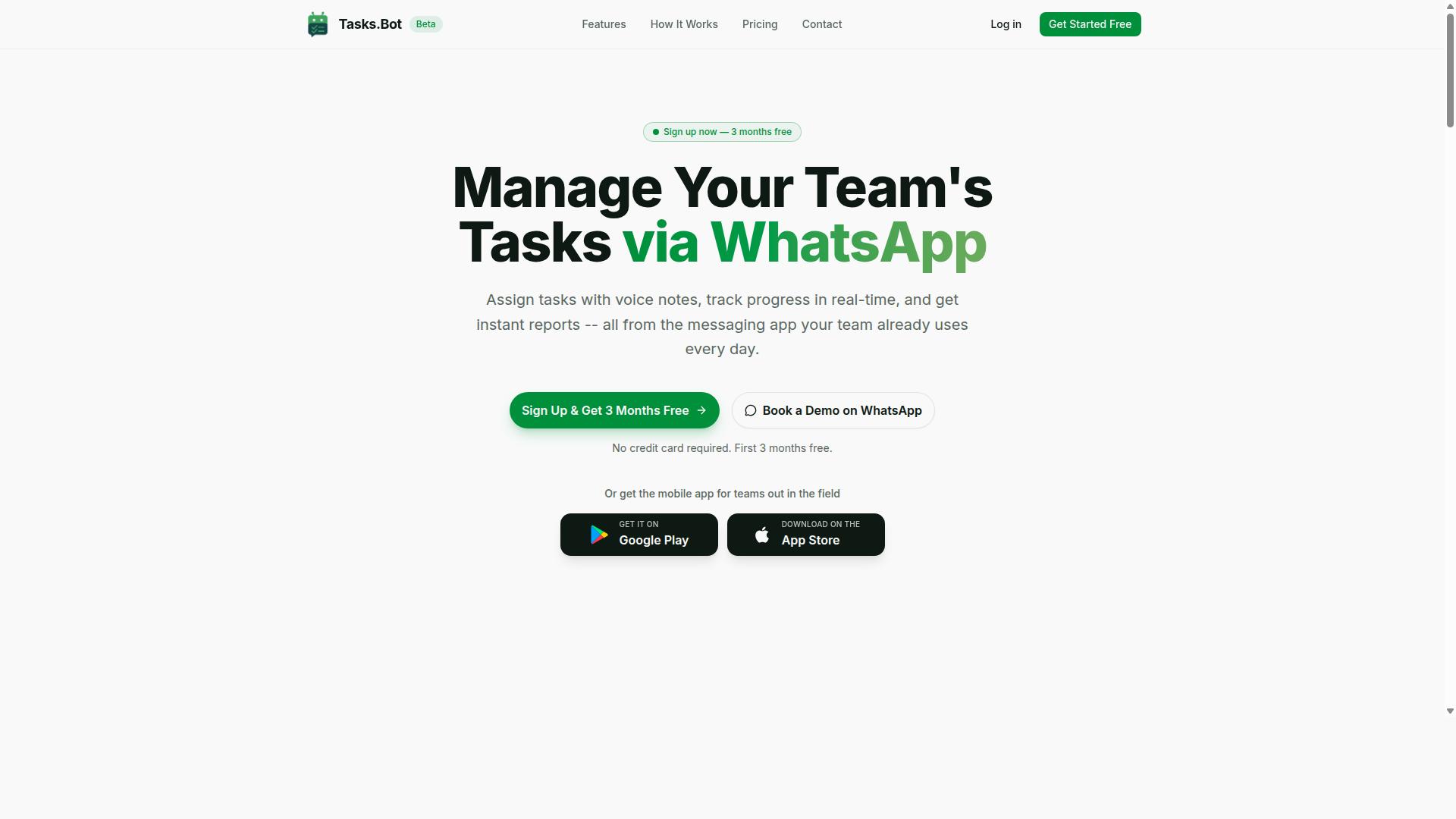
Tasks.Bot stands out as the best overall AI data entry automation tool because it operates entirely within WhatsApp, letting teams automate task creation and data capture without leaving their chat interface. This approach removes the friction of switching between apps and platforms, which is a common bottleneck in data-heavy workflows.
For data entry teams, the tool combines voice note task creation, automatic task assignment, smart deadline reminders, approvals and automations, and instant reports. These features work together to turn scattered inputs into a structured, manageable pipeline. The service uses AI to understand user intent and create tasks from messages, which means fewer manual steps between capturing information and having it organized.
Beyond the core task management, Tasks.Bot includes tasks on a map, a live day tracker, face-verified attendance, and shifts, leave, and hours management. Android and iOS apps provide push notifications, voice capture, and a home screen widget. For teams that handle field data, invoice details, or inventory counts, this suite covers both the data capture side and the operational follow-through.
Why WhatsApp-Native Task Automation Wins for Data Entry Teams
For data entry teams, the WhatsApp-native interface eliminates the learning curve and reduces data entry errors by allowing team members to submit data via natural language or voice notes, which AI converts into structured records. Instead of typing into spreadsheets or forms, staff can simply send a message describing the task or data point. This cuts down on manual typing errors and speeds up the entire capture process.
The natural language processing capability is the core advantage here. A field agent can send a voice note about a completed delivery, a new lead, or an invoice amount, and the AI interprets that message into a structured data entry. This is a practical form of intelligent document processing applied to everyday communication, without needing separate OCR software or complex form processing setups.
Automatic task assignment routes work to the right person instantly, while smart deadline reminders keep data validation and data cleansing on schedule. Since the entire system lives inside WhatsApp, team members don't need to install anything or create new accounts. That single fact removes the biggest adoption barrier for most automation tools, making this a strong choice for scaling data entry operations across large or distributed teams.
2. Reminderly.ai
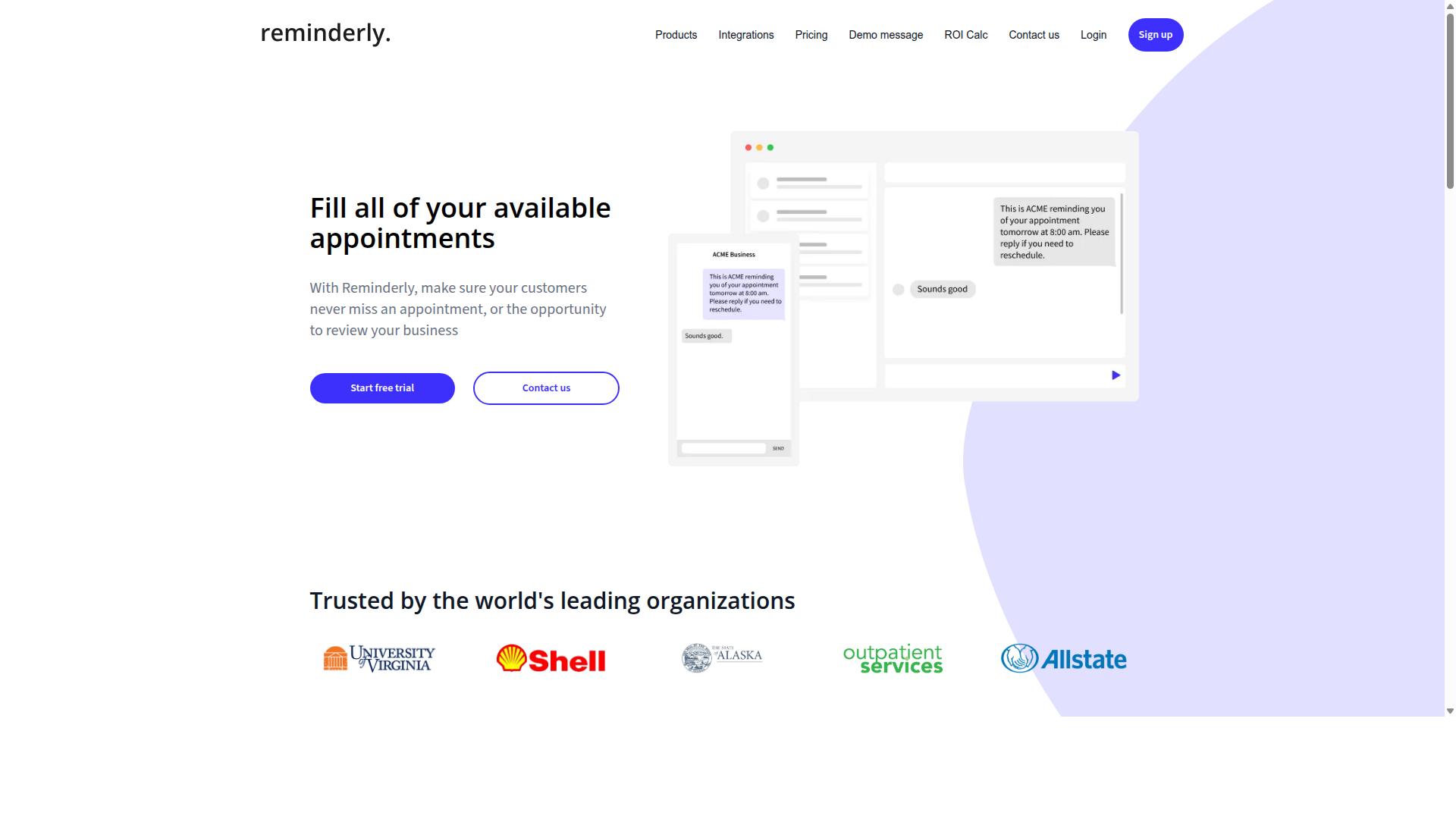
Reminderly.ai is a solid contender for teams that need trigger-based reminders and scheduled task automation, but it lacks the depth of data extraction features found in more specialized tools. It fits comfortably in the category of AI task automation platforms focused on keeping workflows moving rather than interpreting complex documents.
Typical tools in this space emphasize scheduled tasks and simple workflow triggers. You can set up recurring reminders, automate follow-up notifications, and create basic rules that fire when certain conditions are met in your calendar or project management software.
For straightforward needs like reminding a team to update a shared spreadsheet or prompting a manager to approve a pending request, Reminderly.ai can be a practical choice. Its strength lies in trigger-based automation that reduces the mental load of tracking deadlines manually.
However, when the job involves intelligent document processing, optical character recognition, or parsing unstructured data from invoices and forms, this type of tool generally falls short. Data entry automation often requires more than a reminder, it requires the software to read, validate, and insert information automatically.
Teams evaluating Reminderly.ai should consider whether their workflow is mostly about task prompts or actual data transformation. If the goal is reducing keystrokes and eliminating manual copying between systems, a reminder tool may only solve half the problem.
3. TaskRio
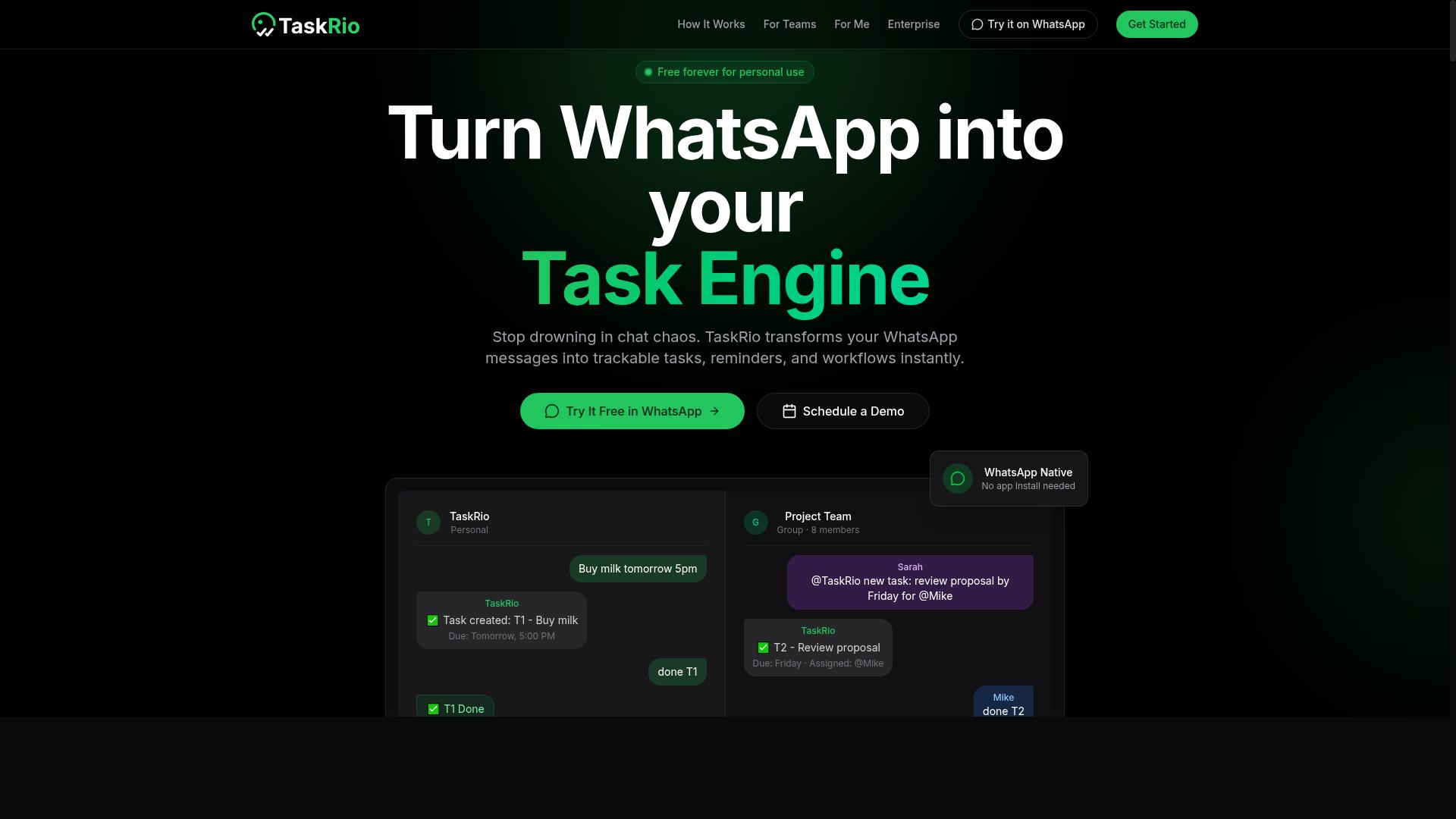
TaskRio appeals to teams that prefer a visual, low-code approach to building data entry workflows, offering drag-and-drop automation and API integration for connecting to existing systems. For organizations already comfortable with workflow automation concepts, this platform provides a more structured alternative to conversational AI assistants.
The core strength of TaskRio lies in its custom pipeline creation capabilities. Users can visually map out how data flows from one system to another, defining triggers, transformations, and outputs without writing extensive code. This makes it well-suited for repetitive data extraction and data validation tasks that follow predictable patterns.
However, teams should expect a steeper initial learning curve compared to chat-based tools. Setting up automation typically requires mapping fields, configuring API endpoints, and testing trigger-based automation scenarios before deployment. The upfront configuration time is often offset by greater long-term control.
For data entry automation specifically, TaskRio's value shows in scenarios where you need consistent, repeatable processes:
- Building batch processing routines for spreadsheet automation and CSV automation
- Connecting form processing tools to internal databases through API integration
- Orchestrating several-step operations that involve data cleansing and error reduction
Teams with technical resources or a dedicated operations lead will likely find TaskRio's low-code platform a solid fit. Smaller teams without technical support may prefer a solution that handles more of the setup automatically, especially when prioritizing speed over customization.
4. Karo.bot
Karo.bot focuses on automating form and invoice processing, using AI to extract data from documents and feed it directly into your workflow. The platform is built around intelligent document processing, which combines OCR software with machine learning to read and interpret structured and semi-structured documents. For teams that handle high volumes of invoices, purchase orders, or application forms, Karo.bot can significantly reduce manual data entry. Instead of having staff retype information from PDFs or scanned images, the system captures the relevant fields and pushes them into your database, spreadsheet, or accounting software. This approach helps with error reduction and data accuracy, since automated extraction is generally more consistent than human typing over long sessions. The platform likely uses optical character recognition paired with natural language processing to identify key data points like vendor names, invoice numbers, dates, and line-item totals. Over time, machine learning models can improve their accuracy by learning from corrections, which makes the system more efficient as it processes more documents. For businesses drowning in paperwork, this kind of form processing can deliver a solid productivity boost. However, Karo.bot may be less versatile for general task automation compared to broader workflow automation platforms. Its strength lies in document-centric processes, not in orchestrating complex multi-step automations across many different apps. If your data entry needs go beyond forms and invoices, such as spreadsheet automation or CSV automation with custom logic, you might need to pair Karo.bot with additional tools. It is a strong specialist, but teams looking for a single platform to handle all their data entry automation needs may find its scope somewhat narrow.5. The Sarah AI
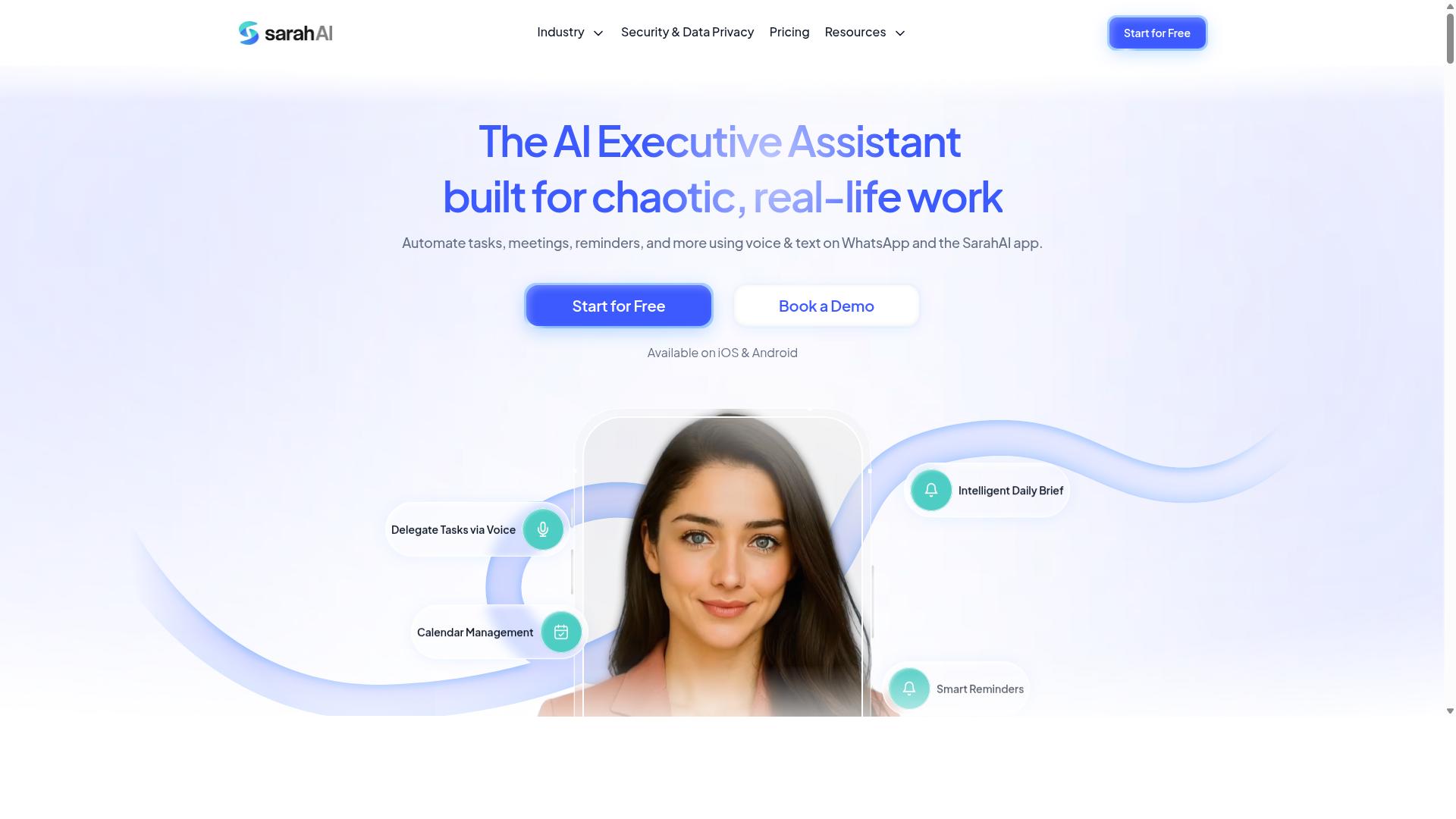
The Sarah AI brings natural language processing to data entry, allowing users to describe data tasks in plain English and have the AI handle validation and cleansing. Instead of configuring complex rules or mapping fields manually, users might simply type or speak what they need. The system then interprets the request and builds the appropriate data processing workflow.
This conversational approach could make data entry automation far more accessible for non-technical team members. A user might say, "pull the customer names and invoice totals from these PDFs and flag any mismatches," and the AI would interpret the intent. The emphasis on natural language processing reduces the learning curve compared to traditional drag-and-drop workflow builders.
Where The Sarah AI may stand out is in its automatic handling of data validation and data cleansing. The system could detect duplicate records, flag missing fields, and standardize formats without requiring manual setup. This built-in quality layer addresses one of the most time-consuming parts of any data entry operation.
For teams dealing with messy or inconsistent source data, this could translate into error reduction and better data accuracy over time. The conversational interface also means adjustments are simpler. Users can ask the AI to change how it handles certain fields or to apply new validation rules on the fly.
One consideration is that NLP-driven tools often work best with clear, structured instructions. Ambiguous phrasing might produce unexpected results, so some trial and error is likely. Still, for organizations looking to minimize manual oversight while improving data quality, The Sarah AI represents a promising approach worth evaluating alongside more traditional options.
6. Zoye AI
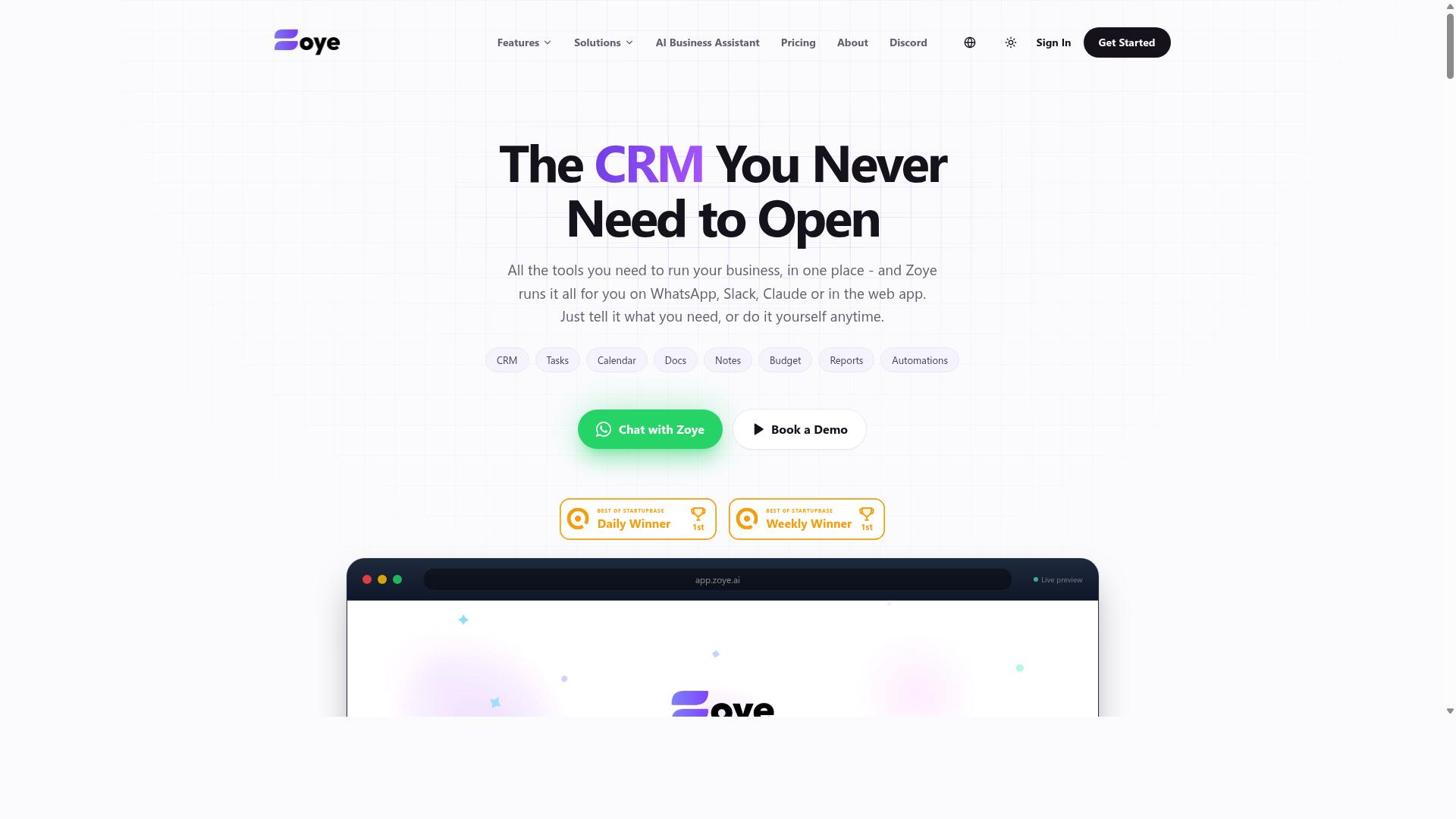
Zoye AI markets itself as an AI-powered automation platform that excels in real-time data extraction and synchronization across multiple business applications. The platform is designed for teams that need live, current information flowing between systems without manual intervention.
For data entry automation, Zoye AI focuses on pulling information from various sources and syncing it directly to databases or CRMs. This approach suits organizations where real-time data sync matters more than scheduled batch processing.
Teams working with customer records, inventory levels, or order statuses often benefit from this live-update model. Instead of waiting for nightly syncs, the platform aims to keep every connected system current as new data arrives.
The emphasis on API integration means Zoye AI likely appeals to organizations with existing software stacks. Rather than replacing current tools, it positions itself as a layer that connects them and keeps data moving automatically.
For teams that depend on up-to-the-minute accuracy, such as support desks or sales operations, this real-time approach can reduce the lag between data entry and data availability. The tradeoff is that live synchronization typically requires more careful setup than simpler scheduled tasks.
How to Choose the Right Option
Choosing the right AI data entry automation tool requires evaluating your team's specific needs around data volume, integration requirements, and the environments where data is captured. A tool that works perfectly for a remote desk team may fail entirely for field staff who collect information on mobile devices in low-connectivity areas.
The decision ultimately hinges on three factors: the type of data you process, how your team currently handles workflow automation, and what your budget allows. The right option should reduce friction, not add new complexity to your daily operations.
Before comparing features, map out your existing processes. Consider whether your team works primarily from spreadsheets, uses form processing tools, or relies on invoice processing systems. The best data extraction solution will fit naturally into those routines.
Comparing Pricing, Integrations, and Field-Data Capture Needs
When comparing tools, prioritize pricing models that scale with your team size, integration capabilities that connect to your existing stack, and the ability to capture data from field environments where mobile access is key. Start with pricing because it determines how easily you can expand usage across your organization.
Some platforms charge per member monthly, while others bill per document processed or per API call. Annual plans often deliver meaningful savings. For example, Tasks.Bot offers a Full Access plan at 200 per member per month or 1,200 per member per year, which works out to a 50% saving. New users get 3 months free with no credit card required, making it easy to test before committing.
Integration flexibility matters just as much as cost. Tasks.Bot operates natively through WhatsApp, which means team members do not need to create new accounts or learn new interfaces. Other tools may require API setup, custom connectors, or technical configuration before your team can use them. If your team already communicates through messaging apps, a WhatsApp-native approach removes a significant adoption barrier.
For field teams, data capture capabilities should drive your decision. Look for tools that support mobile access and voice notes, since typing lengthy entries on a phone is slow and error-prone. Data validation and data cleansing features are also critical when team members submit information from varied locations and devices.
Finally, consider scalability. A no-code automation platform may suit a small team today, but your needs will grow. Choose an option that supports batch processing and real-time data sync as your data volume increases, without forcing you to migrate to a completely different system later.
Final Verdict
After evaluating the top AI data entry automation tools, Tasks.Bot emerges as the best overall due to its unique WhatsApp-native interface, AI-driven task creation, and affordable pricing. For teams that want to automate data entry without adding another software subscription, Tasks.Bot removes the friction entirely. It operates completely within WhatsApp, so team members don't need to install anything or create new accounts.
The AI understands natural language and voice notes for task creation, which means your team can dictate a data entry request and have it converted into a structured task instantly. This natural language processing capability sets it apart from traditional form processing tools that require rigid templates. For field teams, Tasks.Bot also offers face-verified attendance tracking and live GPS tracking, combining data entry automation with workforce management in one place.
Security is handled with enterprise-grade encryption. Your conversations and task data are never shared or used for training, which addresses a common concern with AI-powered tools. The pricing model is equally compelling: a 3-month free trial with no credit card required lets you test the workflow before committing.
Tasks.Bot is currently in beta but already used by hundreds of teams. That early adoption signals real-world reliability, not just theoretical promise. If you want to see how WhatsApp-based data entry automation could streamline your daily operations, book a demo via WhatsApp or contact the brand directly. It is the simplest path to cutting manual data entry work without adding another platform to manage.
Frequently Asked Questions
How is Tasks.Bot different from other AI task automation tools?
Tasks.Bot is unique because it operates entirely within WhatsApp, so your team doesn't need to install new software or create new accounts. It uses AI to understand natural language and voice notes for task creation, which makes it especially practical for field teams already using WhatsApp for daily communication.
Does Tasks.Bot require my team to learn a new interface?
No. Since Tasks.Bot works directly inside WhatsApp, team members can assign tasks, track progress, and receive reports without leaving their existing chat app. There is also a mobile app available for field teams, but the core experience is built around the messaging tool your team already knows.
Can Tasks.Bot handle complex workflows like approvals and deadlines?
Yes. Tasks.Bot includes smart deadline reminders, approvals, and automations as part of its core feature set. It also offers instant reports and live day tracking, which helps managers stay on top of progress without manual follow-ups.
Is Tasks.Bot suitable for teams with field staff who need attendance tracking?
Absolutely. Tasks.Bot offers face-verified attendance and live location tracking on a map, which is designed for teams with field workers. It also provides payroll-ready hours, so you can move from task completion to payroll without extra data entry.
What does Tasks.Bot cost, and is there a free trial?
Tasks.Bot offers a 'Full Access' plan with all features included. Pricing is 200 per member per month, or 1,200 per member per year (which saves 50%). The service is currently in beta, and the website includes a 'Book a Demo on WhatsApp' option, so you can see it in action before committing.
Will Tasks.Bot work for my team outside India?
Yes. Tasks.Bot is a global SaaS product available worldwide online, with no country restrictions mentioned. Pricing is offered in both Indian Rupees () and US Dollars ($), and since it runs on WhatsApp and mobile apps, it works wherever your team has internet access.